How to connect WhatsApp with Pymebot in 3 steps
No code, no technical knowledge required. Follow this visual guide and you'll have your WhatsApp bot up and running in under 10 minutes.
3 steps and your bot is live
We've simplified the process as much as possible. If you can sign up on a website, you can connect your WhatsApp.
Create your Meta for Developers account
Go to developers.facebook.com and sign up with your Facebook account or email. It's free and only takes a minute. This account gives you access to Meta's tools to connect WhatsApp.
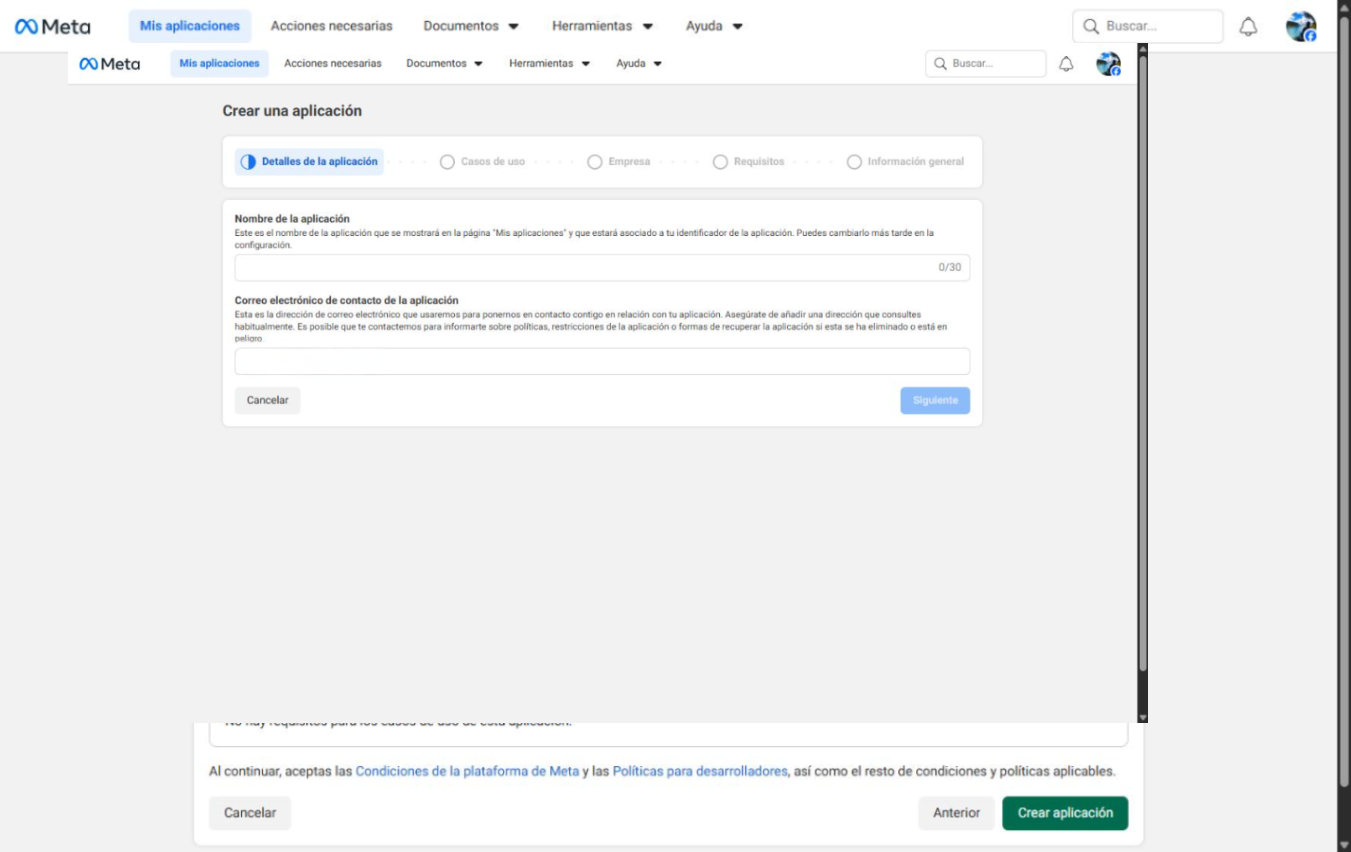
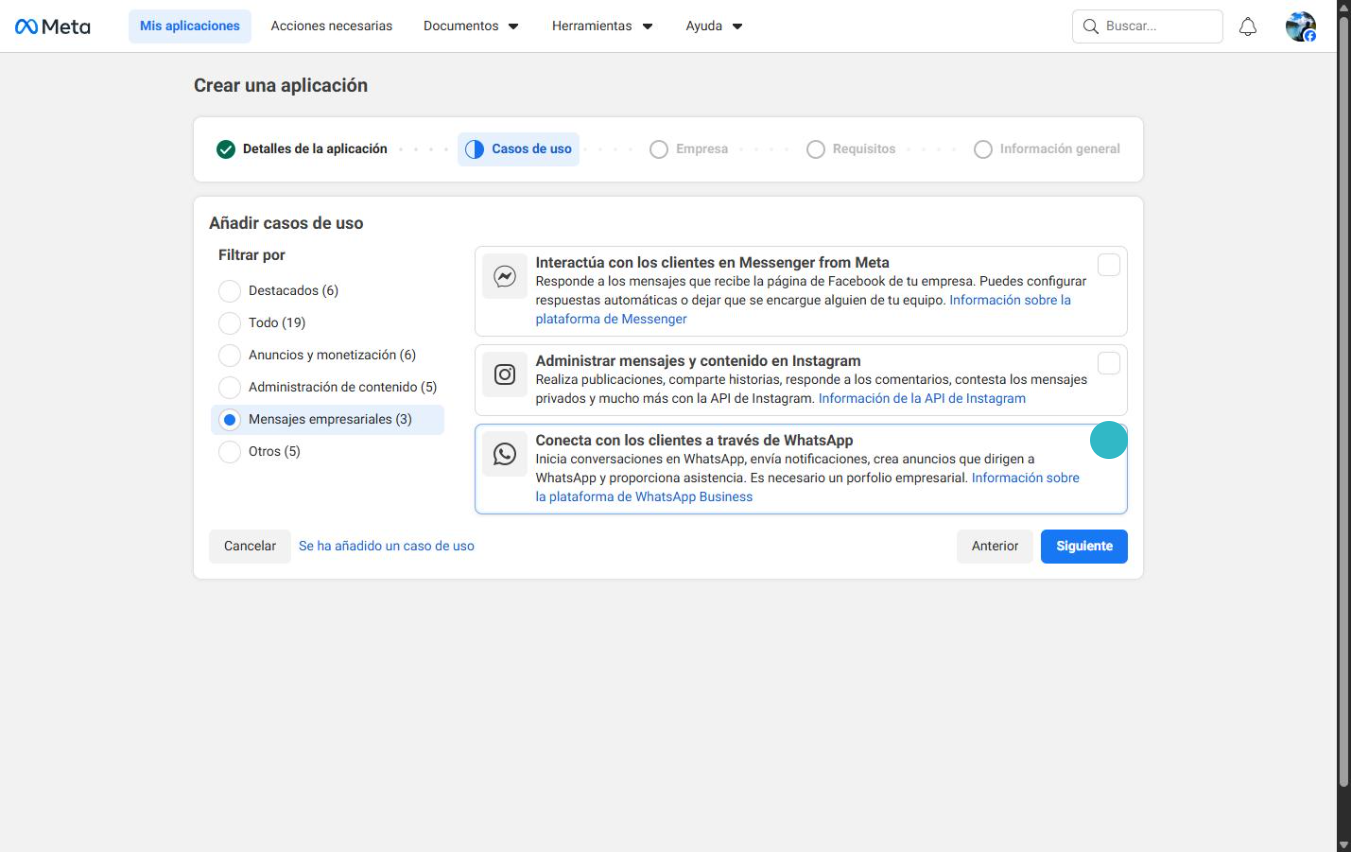
Activate WhatsApp Business API
Inside Meta for Developers, create an app, add the "WhatsApp Business API" product, and configure your phone number. We'll send you a verification code via SMS to confirm your number.
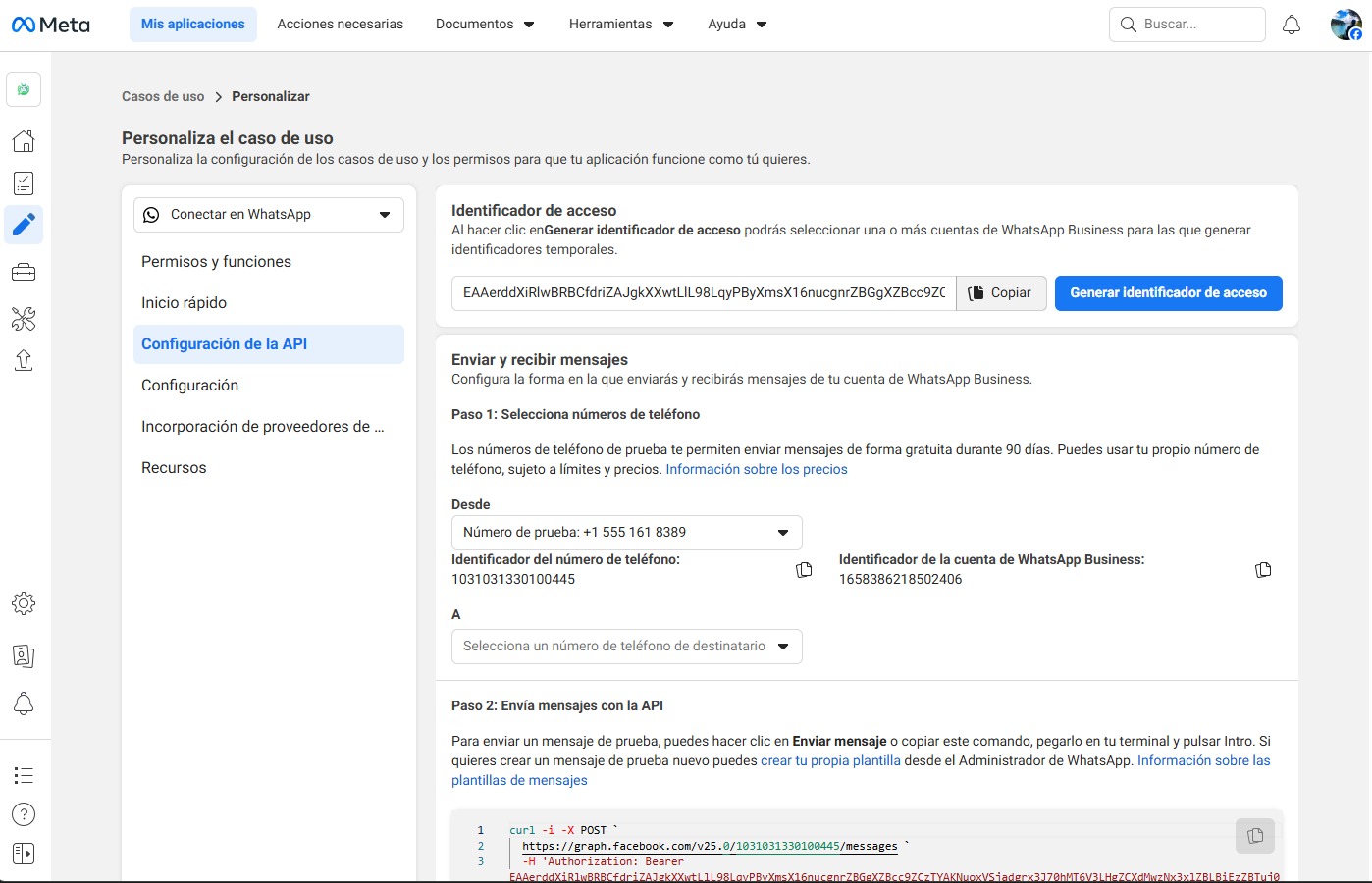
Connect with Pymebot
Copy your app details (Phone Number ID and Access Token) and paste them into the Pymebot dashboard. In 30 seconds your WhatsApp will be connected and the bot will start working.
Why connect WhatsApp with Pymebot?
Connecting your WhatsApp Business with Pymebot transforms the way you serve your customers.
24/7 support
Your bot responds automatically at any time, even when you're sleeping or on vacation.
Instant replies
Your customers no longer wait hours for a response. The bot answers in seconds.
Context-aware AI
This isn't a dumb bot with predefined options. Our AI understands what people ask and responds naturally.
Built-in analytics
Conversation metrics, customer satisfaction, and sales tracking from your dashboard.
Frequently asked questions
Common questions when connecting WhatsApp Business with Pymebot.
Do I need technical knowledge to connect WhatsApp?
Can I use my personal WhatsApp number?
How long does the setup take?
What if my number already has WhatsApp Business active?
Start for free and connect your WhatsApp
Follow the 3 steps in this guide and you'll have your bot running today. No credit card, no commitment.
Everything included from day one:
No credit card required. Cancel anytime.